
Create a Wallet
Understand the environment, key ownership and backup responsibilities before creating a new wallet.
Start here →imtoken Multi-chain Wallet
A multi-chain wallet, blockchain network and Web3 knowledge hub from imtoken
From viewing assets across networks and choosing the right chain to sending, receiving, DApp connections and approvals, imtoken organizes each action around clear checks. Wallet security belongs in every stage: creation, backup, transfers, signatures and ongoing approval management.
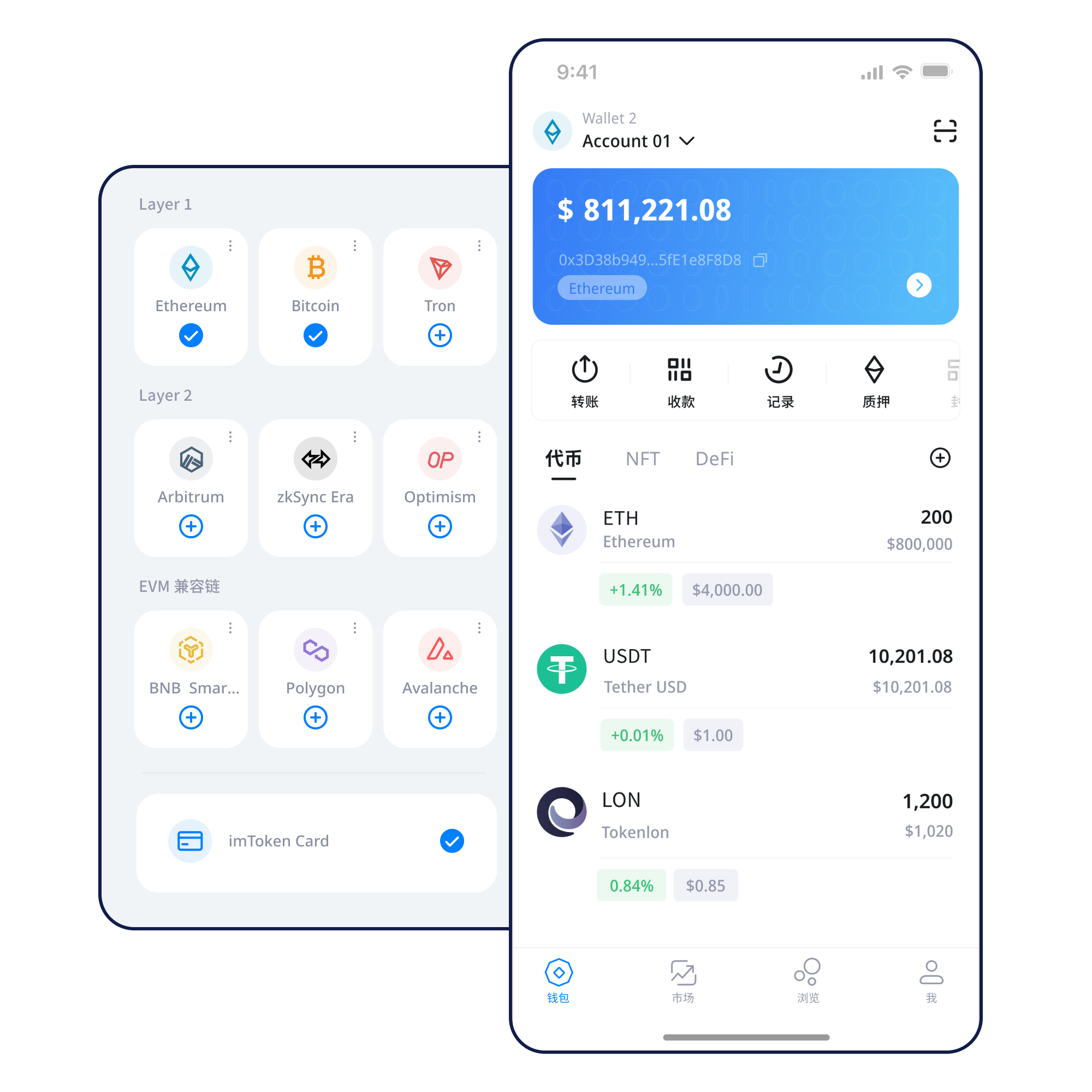
Understand the environment, key ownership and backup responsibilities before creating a new wallet.
Start here →Complete an offline backup early and never send a seed phrase, private key or recovery phrase to another person.
Backup principles →Confirm the network before sharing a public receiving address so both sides use a compatible chain.
Receiving flow →Check the network, destination, amount and gas before submitting, then keep the transaction hash for verification.
Transfer checks →Verify the domain first, then evaluate every connection, signature and approval as a separate decision.
Connection guide →Asset management becomes clearer when networks, addresses, transactions and security checks are part of one workflow.
Distinguish asset versions, address context and transaction state across networks. Multi-chain support does not mean assets automatically move between chains.
Confirm the network and public address when receiving. Before sending, check network, address, amount and gas; after submission, use the transaction hash to follow confirmations.
Understand the flow →View assets, manage networks, review transaction history and enter DApp workflows while keeping the device and backup environment under your control.
Browser connections support DApp access and request review. A connected site is not automatically trusted; every signature still needs a fresh decision.
Explore Web connections →Seed phrases and private keys remain under user control. Offline backup, device security, signature checks and approval management work together.
Every network has its own blocks, fees, contract state and confirmation rhythm. Learn the network before moving assets or interacting with contracts.
One wallet can organize accounts and assets across several networks, but each action still takes place on one specific chain. Re-check asset version, address and network state every time you switch.
Explore multi-chain →Nodes propagate transactions, blocks record state and confirmations show how a transaction is being built upon. Block explorers help verify public on-chain information.
Learn public-chain basics →
EVM-compatible networks often use similar address formats while keeping separate gas markets, contracts and asset states. Always interpret a contract address inside the current network.
Understand EVM →
Layer 2 networks relate to a base chain through settlement or security mechanisms. Moving between layers can involve bridges, waiting periods and additional confirmations.
Learn Layer 2 →
Gas prices network resources; confirmations describe transaction progress. Fees, pending state, block height and the transaction hash should be read together.
Gas and confirmation guide →Each step has a clear checkpoint so networks, assets and permissions remain understandable.
Use the official download entry rather than unknown links or temporary file sources.
Use a device you control and understand that a seed phrase or private key represents account control.
Keep the seed phrase offline, avoid cloud screenshots and never disclose a private key or recovery phrase.
Confirm where the asset exists, the target network and the address context before acting.
Check address, network and amount before sending, understand gas and use a small test when appropriate.
Keep the transaction hash, review confirmations and remove connections or approvals you no longer need.
Web3 Workflow
From the domain to the account request, signature and approval target, each step deserves its own decision. Connecting a wallet does not mean every later request should be accepted.
Open the Web3 guideEnter through a trusted route rather than an unsolicited message.
Check spelling and context before connecting.
Confirm the active network and account being exposed.
Understand what the site wants to see or call.
Check target, content, allowance and likely outcome.
Remove old connections and review remaining approvals.
Security
A wallet puts account control in the user’s hands, which means recovery material, device context and on-chain requests all require judgment. Keep seed phrases and private keys offline; imtoken staff will not ask for them. Verify network, address and amount before transfers, then inspect domains, signatures and approval scope during DApp use. Third-party DApps and smart contracts can carry risk, and confirmed on-chain transactions generally cannot be reversed by the wallet alone.
Open the Security CenterLearn the terminology first, then the workflow, then build security into the habits that remain.
An address identifies an account for receiving. A seed phrase and private key relate to control. The network determines where an action happens. Gas pays for network resources. A transaction hash locates an on-chain transaction. DApps can request connections, signatures and approvals. Linking these ideas together makes independent verification possible.
Read the beginner guideStaking is not a fixed-return product. Rewards, waiting periods, validator state, penalties, technical risk and market volatility all matter.
Ethereum PoS relies on validators. Rewards relate to network rules, while withdrawals and exits are separate flows that can involve waiting and state transitions.
Explore Ethereum staking →Validators can face network penalties. Smart contracts and third-party services introduce technical and operational risk, and digital-asset prices can move sharply. Staking does not guarantee returns.
Understand PoS and validators →Updates are organized by topic without invented dates, partnership claims, licenses or market metrics.
Start with the most common decisions around backup, networks, transactions, Web3 and staking.
Review backup, network and transfer-check principles before downloading.